


Boost Conversions with Beaver Builder: Landing Page Structure Secrets
Learn how to structure high-performing landing pages with Beaver Builder, leveraging expert insights and actionable takeaways to boost…
Read Article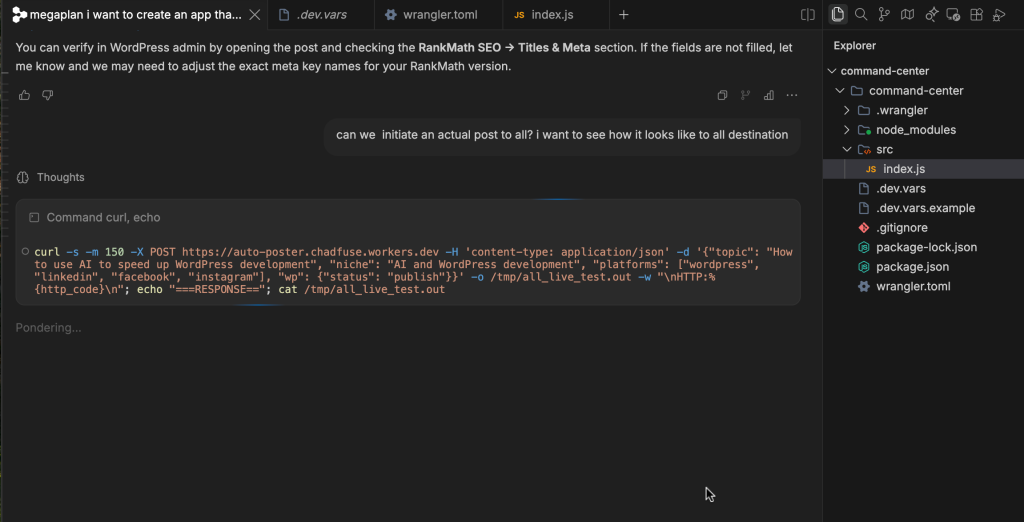
This post walks through the entire build of an automated content distribution app that generates blog posts with AI and publishes them to WordPress, LinkedIn, Facebook, and Instagram on a schedule. It runs on free tiers.
The app is called Auto-Poster. It is a Cloudflare Worker that does the following automatically:
I created a new directory and used Wrangler to scaffold a Cloudflare Worker project. The main file is src/index.js, and the config is in wrangler.toml.
npx create-cloudflare command-center
cd command-center
npm install
The Worker exposes two handlers: fetch for manual posts and helper endpoints, and scheduled for cron-triggered posts.
I use the Groq API through an OpenAI-compatible endpoint. The prompt asks the model to return the post in a strict format with title, slug, focus keyword, meta description, excerpt, tags, and a long HTML body.
If the primary Groq model allam-2-7b fails, the Worker tries qwen/qwen3.6-27b. If that also fails, it calls free.ai with models like qwen7b and mistral before giving up.
The image generation works in three layers:
The Worker creates a WordPress post through the REST API and sets the following fields:
The Worker emails a summary after every run. The FROM_EMAIL domain must be verified in Resend.
The repo is public at github.com/chadfuse/command-center, and the README includes full setup instructions.

 News
News
Learn how to structure high-performing landing pages with Beaver Builder, leveraging expert insights and actionable takeaways to boost…
Read Article News
News
Discover the science behind crafting UI/UX that turns website visitors into loyal clients. Learn how to optimize your…
Read Article
Leverage the power of artificial intelligence to automate tedious tasks, streamline workflows, and unlock new levels of productivity…
Read ArticleReady to optimize your Core Web Vitals, build a bespoke custom theme, or scale your platform? Connect directly with Senior Architect Chad Sia.