


Boost Conversions with Beaver Builder: Landing Page Structure Secrets
Learn how to structure high-performing landing pages with Beaver Builder, leveraging expert insights and actionable takeaways to boost…
Read Article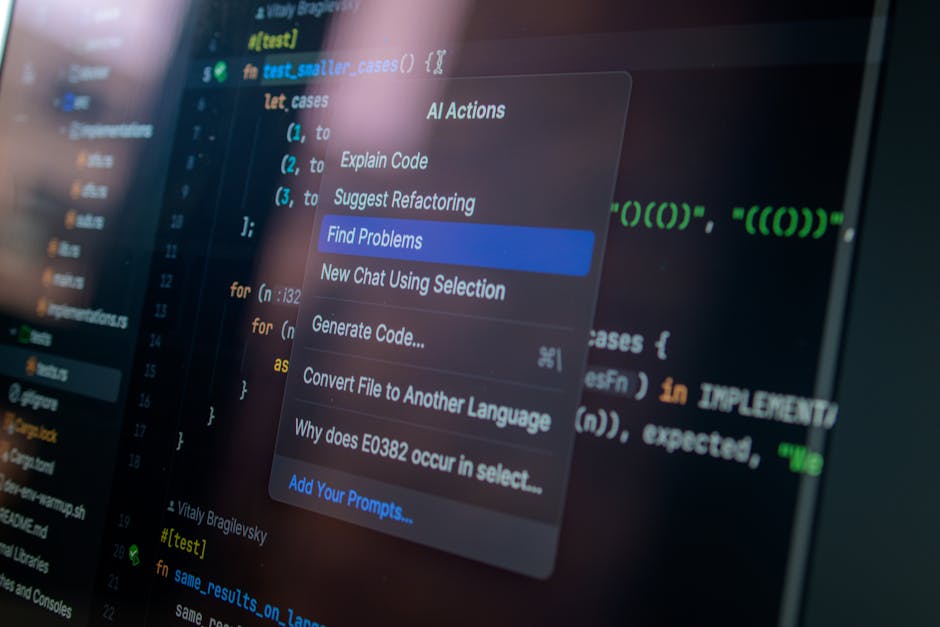
Last quarter, I was staring at a mountain of repetitive tasks for a client in Makati. They needed 50 product pages, each with custom layouts, and honestly? I was dreading it. But then I remembered something – I had been experimenting with AI tools for WordPress development. Let me tell you, that decision changed everything.
You know how it goes as a Filipino developer. We are always juggling multiple clients, trying to deliver quality work while keeping costs reasonable. Sometimes I feel like we are expected to be superhumans – coding gods who can do everything twice as fast for half the price. Sound familiar?
Look, I am not going to sell you some fantasy where AI builds entire websites by itself. That is not reality (at least not yet). But what I can tell you is that certain AI tools have become genuinely useful for us WordPress developers.
Remember those late nights at school trying to debug PHP code? CodeWP feels like having a senior developer sitting next to you. Last week, I needed to create a custom post type filter for a real estate client in Quezon City. Instead of spending 2 hours digging through documentation, I described what I needed in plain English, and boom – working code in 5 minutes.
But here is the thing – you still need to know what you are doing. The AI gives you a starting point, not a finished product. I always review and optimize the code, adding security measures and WordPress best practices. Think of it as a really smart intern who needs supervision.
I will be honest – I am not the best writer. English is not my first language, and sometimes I struggle to find the right words for client websites. Jetpack AI has been a lifesaver for creating placeholder content that actually sounds natural.
For that Makati client with 50 product pages, I used AI to generate unique descriptions for each product. Then I spent time personalizing them with the client is voice and adding Filipino context. The result? Content that resonated with their local market while saving me about 20 hours of writing time.
SEO used to give me headaches. Trying to figure out the right keywords, meta descriptions, and content structure… ugh. Rank Math AI changed that. It analyzes your content in real-time and suggests improvements based on actual search data.
For a recent e-commerce client in Cebu, the AI helped me identify long-tail keywords I would have never thought of. “affordable web design for small businesses Philippines” – who knew that was getting 200+ searches a month? The client is organic traffic increased by 40% in two months.
But it is not all sunshine and rainbows. Let me tell you about my biggest AI screw-up. I was working on a complex booking system for a resort in Palawan, and I got a bit too confident with the AI-generated code.
The AI produced what looked like perfect PHP code. I was impressed, ran a quick test, and pushed it to production. Big mistake. Two days later, the client called – their booking system was crashing during peak hours. The AI had missed a critical database optimization that only became apparent under load.
I spent the entire weekend fixing it, but you know what? That failure taught me something crucial: AI is a tool, not a replacement for experience. Now I always stress-test AI-generated code and add my own optimizations based on real-world scenarios.

After months of experimentation, here is my practical AI workflow that actually works:
Here is something interesting I have noticed: Filipino developers are actually perfectly positioned for this AI-augmented future. Why? Because we are naturally adaptable and we understand the balance between efficiency and quality.
We have spent years proving ourselves in the global market, often working with limited resources. AI tools level the playing field, allowing us to compete with bigger agencies while maintaining our competitive advantage – our personal touch and understanding of local business contexts.
The future of WordPress development is here, and it is exciting. AI is not replacing us – it is making us better at what we do. And honestly? I cannot wait to see what we will build together.
Want to learn more about AI-powered development? Let is talk about how these strategies can help your next project.
Interested in more? Check out custom WordPress builds, WordPress development services, Filipino WordPress developers.
Yes, AI tools can generate code snippets, optimize images, write content drafts, and automate repetitive tasks. They save significant time but still require human oversight for quality and accuracy.
Top tools include CodeWP for code generation, Rank Math Content AI for SEO content, and AI image generators like Midjourney for visuals. ChatGPT helps with content planning and troubleshooting.
No. AI handles repetitive tasks but cannot replace strategic thinking, client communication, custom problem-solving, and creative design decisions. Developers who use AI will outperform those who do not.

 News
News
Learn how to structure high-performing landing pages with Beaver Builder, leveraging expert insights and actionable takeaways to boost…
Read Article News
News
Discover the science behind crafting UI/UX that turns website visitors into loyal clients. Learn how to optimize your…
Read Article
Leverage the power of artificial intelligence to automate tedious tasks, streamline workflows, and unlock new levels of productivity…
Read ArticleReady to optimize your Core Web Vitals, build a bespoke custom theme, or scale your platform? Connect directly with Senior Architect Chad Sia.